
Spotify Randomly Paused Every Song Today? The One Hidden ‘Offline Tangle’ Fix That Usually Makes Streaming Stable Again
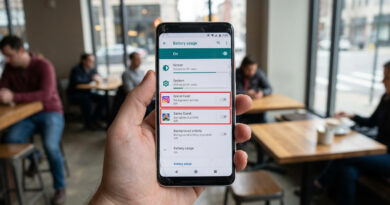
Spotify acting like it has stage fright is maddening. You press play, it starts for a second, then pauses, skips, or just sits there spinning while every other app on your phone works fine. If you are searching for why Spotify keeps pausing today on my phone, the usual advice to restart everything often misses the real problem. A hidden mess between Spotify’s offline downloads, cache files, and your phone switching between Wi-Fi, mobile data, and Bluetooth can leave the app stuck in a loop.
The good news is that this usually is not a dying phone, broken Wi-Fi, or a hacked account. More often, Spotify’s saved offline data has become corrupted or confused after an update. The fix is simple, but a little more specific than “turn it off and on again.” Start by forcing Spotify to drop its old offline tangle, then let it rebuild cleanly. For most people, that gets music playing normally again within about 10 minutes.
⚡ In a Hurry? Key Takeaways
- Spotify usually keeps pausing because its offline downloads or cache files are corrupted, not because your internet is broken.
- The best fix is to turn off Offline Mode, remove downloaded data, clear cache, then sign back in and re-download what you need.
- This is safe, but you may need to download playlists again, so do it on Wi-Fi if your mobile data is limited.
The hidden “offline tangle” that causes the problem
Spotify is built to be clever. Sometimes a little too clever.
It tries to juggle streamed songs, downloaded playlists, Bluetooth handoffs, background syncing, and network changes all at once. If your phone moves between home Wi-Fi, 5G, the car stereo, wireless earbuds, and maybe a weak office signal, Spotify can get confused about what should stream and what should play from local files.
Then an app update lands. Old cached files do not always play nicely with the new version. That is when you get the weird behavior. A song plays for two seconds and pauses. Another track skips. Albums refuse to load. It feels random, but it often points back to damaged offline data.
The fix that usually works
Step 1: Turn off Offline Mode in Spotify
Open Spotify and check that Offline Mode is not switched on by mistake.
On iPhone or Android, go to Settings and privacy, then look for Playback or search inside settings for Offline. If Offline Mode is on, turn it off.
This matters because Spotify can keep trying to pull from broken downloaded files instead of using a clean stream.
Step 2: Remove your downloads inside Spotify
This is the part most people skip.
If only one playlist is acting up, open that playlist and remove the download. If the whole app is misbehaving, remove downloaded content more broadly by turning off the download toggle for your saved playlists and albums.
You are not deleting your music library. You are deleting the local copies stored on the phone.
Step 3: Clear Spotify’s cache
Now clear the temporary junk.
In Spotify, go to Settings and privacy, then Storage, then tap Clear cache. This will not remove your account or playlists. It just wipes temporary files that may be causing the pausing loop.
If the app is so unstable you can barely tap anything, use your phone settings instead.
On Android: Go to Settings, Apps, Spotify, Storage, then tap Clear Cache. If needed, tap Clear Data too, but know that this signs you out and resets the app.
On iPhone: iOS does not give the same deep cache controls for every app. If Spotify’s own clear-cache option does not help, deleting and reinstalling the app can act like a deeper reset. But do it only after removing downloads first, so the app is not trying to hang onto the same bad local files.
Step 4: Force close Spotify and restart your phone once
Yes, I know. You probably already restarted your phone.
Do it here because now you have actually removed the bad files first. That makes the restart useful instead of just ceremonial.
Step 5: Sign back in and test before re-downloading everything
Open Spotify, sign in, and try streaming a few songs over Wi-Fi. Then try one over mobile data if you can.
If tracks now play normally, you have confirmed the problem was the offline tangle, not your network.
Only after that should you start downloading playlists again.
If it still pauses, check these three phone-level troublemakers
1. Battery saver or data saver
Phones love to “help” by restricting background activity.
If Spotify is being paused when the screen locks, check battery settings.
On Android: Go to Settings, Apps, Spotify, Battery, and allow unrestricted or optimized use, depending on your phone brand.
On iPhone: Check Low Power Mode and turn it off temporarily while testing. Also make sure Background App Refresh is enabled for Spotify.
2. Bluetooth handoff weirdness
If Spotify pauses mostly in the car, on earbuds, or on a speaker, Bluetooth may be part of the mess.
Forget and reconnect the accessory. Also test Spotify with Bluetooth fully off for a minute. If the pausing stops, the issue may be the audio device or its connection, not Spotify itself.
3. Weak signal switching
A phone bouncing between weak Wi-Fi and cellular can make Spotify stall even when your internet “looks fine.”
Turn off Wi-Fi and test on mobile data alone for a few songs. Then do the reverse. If one connection works cleanly and the other does not, you have narrowed it down fast.
What not to do
Do not keep reinstalling Spotify over and over without clearing the downloaded mess first. That often just brings the same problem back.
Do not assume your account was hacked because songs stop or skip. That can happen, but random pausing is usually much more boring than that.
Do not start resetting all your phone network settings unless simpler tests fail. That is the digital version of tearing up the kitchen because one drawer is stuck.
When the issue is probably on Spotify’s side
If your app is clean, downloads are removed, cache is cleared, and tracks still stop on both Wi-Fi and mobile data, the bug may be tied to a current Spotify update or server issue.
That is especially likely if the problem started suddenly today and you did not change anything on your phone.
In that case, keep downloads turned off for a bit, use streaming only, and check again later after another app update rolls out. A lot of these bugs show up in waves.
Why this fix works better than generic advice
Most help guides stop at “restart your device” because it is easy to write and sometimes works by luck.
But the real-world pattern right now is different. Phones are constantly switching between connection types, and streaming apps keep updating in the background. That mix can leave old downloaded files behind like crumbs in the gears.
Cleaning out that local offline data gets rid of the thing Spotify keeps tripping over.
At a Glance: Comparison
| Feature/Aspect | Details | Verdict |
|---|---|---|
| Main cause | Corrupted offline downloads or cache after app and network changes | Most likely culprit |
| Best first fix | Turn off Offline Mode, remove downloads, clear cache, then sign back in | Usually works fastest |
| Extra checks | Battery saver, Bluetooth devices, and Wi-Fi to 5G switching | Worth checking if the first fix is not enough |
Conclusion
If Spotify keeps pausing today on my phone is the question that sent you here, the answer is often much less dramatic than it feels. Your network may be fine. Your phone is probably fine too. What is usually broken is the messy handoff between old offline files, fresh app updates, and a phone that keeps jumping between Bluetooth, Wi-Fi, and mobile data. That is why clearing the offline tangle works so often when random restarts do not. Streaming bugs like this are popping up more because our phones are doing more in the background than ever. The good part is that this is usually a 10-minute repair job, not an all-day support nightmare. Try the phone-first cleanup, re-download only what you need, and you will have a simple fix in your pocket for the next time any streaming app starts acting weird.