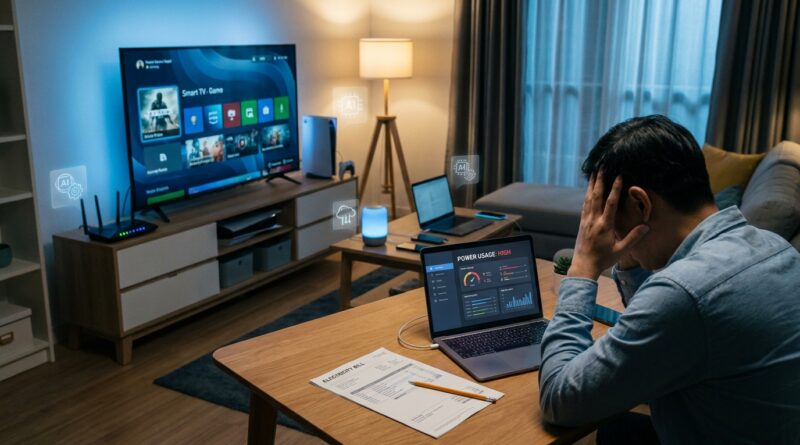
AI Is Quietly Spiking Your Power Bill: How To Stop New ‘Smart’ Features From Wasting Electricity At Home
If your electric bill jumped and your habits did not, you are not imagining things. A growing number of “smart” gadgets now sit around listening, syncing, scanning, updating, and talking to cloud AI services all day long. It feels invisible because most of that work happens in the background. But your meter still sees it. The tricky part is that one device usually is not the whole problem. It is the mix. A smart speaker always waiting for a wake word. A TV pushing AI picture modes. A security camera uploading nonstop. A robot vacuum remapping the house. Add a few more connected gadgets, and the idle power draw starts turning into real money. The good news is you do not need to throw everything out. In one evening, you can check the worst offenders, turn off the fluff you do not use, and cut waste without giving up the parts that actually help.
⚡ In a Hurry? Key Takeaways
- Yes, AI devices raising my power bill is a real thing, especially when several “smart” products stay active 24/7 and rely on cloud processing.
- Start by checking smart cameras, smart speakers, TVs, streaming boxes, gaming PCs, robot vacuums, and routers for always-on AI features you can switch off.
- You do not need to ditch every smart device. A few settings changes, better schedules, and one cheap plug-in power meter can trim waste fast.
Why this is happening now
For years, smart home gear mostly used small amounts of power for simple jobs. Turn on a bulb. Ring a chime. Send a notification. Now many of those same products have added AI features. Face recognition. Package detection. Voice assistants. Auto summaries. Smart scene analysis. Generative search. Adaptive picture tuning.
That sounds handy. Sometimes it is. But these features often mean one of two things. The device itself works harder, or it constantly sends data to the cloud so somebody else’s computers can do the heavy lifting. Either way, your home equipment stays more active than it used to.
The result is simple. More background work means more electricity use, more heat, and often more network gear staying busy too.
The sneaky ways AI adds to your bill
1. Devices that never really sleep
Many newer gadgets advertise convenience, but convenience usually means “always on.” A smart display waiting for a command is using power the whole time. So is a TV that boots instantly because it never fully shuts down. So is a laptop with AI assistants, indexing, syncing, and automatic media processing in the background.
2. Cloud features that keep uploading
Home security cameras are a big one. Basic motion alerts are one thing. AI person detection, pet recognition, vehicle recognition, package alerts, and cloud video summaries are another. The camera, modem, router, and cloud connection are all staying busy more often.
3. “Smart” modes that sound efficient but are not
Some devices really do save energy. Others just add more processing. AI picture enhancement on a TV, auto-upscaling on a streaming box, or “intelligent cleaning” on a vacuum can mean more work, not less. The name makes it sound helpful. The power draw may say otherwise.
4. Bigger home network load
Even if a gadget is not using huge power by itself, a house full of connected products can keep your modem, mesh Wi-Fi nodes, and network storage humming around the clock. AI features often increase that chatter.
Which devices are most likely to be the problem
If you are wondering whether AI devices raising my power bill applies to your house, start here.
Smart security cameras and video doorbells
These are often the biggest hidden culprits. Continuous recording, cloud uploads, facial recognition, and long event histories all add up. One camera may not look scary on paper. Four or five can.
Smart speakers and smart displays
They use modest power individually, but they are on every minute of every day. Add a screen, a camera, and AI voice processing, and the number climbs.
Smart TVs and streaming boxes
Modern TVs now have background content suggestions, voice assistants, AI upscaling, motion processing, targeted ads, and instant-on modes. Streaming boxes often stay active too, especially if they are set to wake quickly and keep apps fresh.
Gaming PCs and high-end laptops
This is a big one people miss. AI photo sorting, transcription tools, chatbot apps, local AI features, GPU-assisted search, and background indexing can wake up powerful chips more often than you think. A desktop with a beefy graphics card idling badly can cost much more than a little smart speaker.
Robot vacuums and smart appliances
Mapping, obstacle recognition, smart rerouting, and app syncing all use extra power. Again, not always dramatic. But enough devices doing “a little extra” can move the bill.
How to tell if smart features are the reason
You do not need an engineering degree for this. Just do a simple process of elimination.
Check your utility usage by day or hour
Many power companies now show daily or hourly usage in their apps or websites. Look for a jump that started around the time you bought new gear, added cameras, switched TVs, or turned on a new subscription feature.
Look for your “base load”
Your base load is what your house uses when almost nothing is happening. Think late at night or during a quiet workday when the oven, dryer, and air conditioner are off. If that number has crept up, always-on devices are a likely reason.
Use a plug-in power meter
This is the best cheap detective tool in the house. Plug your TV, gaming PC, monitor setup, smart display, or streaming box into a watt meter and see what it pulls when “off,” idle, and active. Many people are shocked to learn that “sleep” and “off” are not the same thing anymore.
Temporarily disable one feature for a week
Turn off continuous cloud recording. Disable AI picture mode on the TV. Put the smart display on a bedtime schedule. Then compare your usage. You do not need perfect lab conditions. You just want a clear before-and-after pattern.
Your one-evening fix plan
Step 1. Audit every always-on smart device
Walk room to room and make a list. Include:
- Smart speakers and displays
- Cameras and doorbells
- Smart TVs and streaming boxes
- Game consoles
- Desktops, laptops, and monitors
- Routers, mesh nodes, and network drives
- Robot vacuums and smart appliances
If it has a microphone, camera, cloud sync, or app control, put it on the list.
Step 2. Turn off features you never asked for
This is where the easy savings live. Look in settings for:
- Always listening voice assistants
- Continuous cloud recording
- AI summaries or smart alerts
- Instant-on or quick-start mode
- Auto content recognition on TVs
- AI picture enhancement and motion smoothing
- Background app refresh
- Automatic uploads and syncing
If you have never used a feature on purpose, it is a good candidate to disable.
Step 3. Put devices on schedules
Many smart gadgets support sleep schedules. Use them. If the kitchen display does not need to listen from midnight to 6 a.m., tell it to rest. If outdoor cameras only need smart alerts overnight and while you are away, set that up.
Step 4. Use smart plugs carefully
Smart plugs can cut phantom load on TVs, speakers, and office gear, but do not use them on anything that needs constant power for safety or updates, like some security devices, medical gear, or certain network equipment. For entertainment centers and desk setups, though, they can be very helpful.
Step 5. Fix your computer’s idle behavior
On Windows or Mac, check power settings, sleep settings, startup apps, cloud syncing, and AI assistant features. If a PC is your hidden energy hog, these tweaks matter more than anything you do with a smart speaker.
Settings that are usually safe to disable
Here is the plain-English version. Most households can safely switch off these features without losing anything important:
- TV quick-start mode
- AI video enhancement you do not notice
- 24/7 cloud recording when motion clips would do
- Voice assistant wake listening in rooms you rarely use
- Auto app updates during peak-rate hours
- Extra notification categories like pet, parcel, and vehicle alerts if you do not need them
What should you be more careful with? Door locks, smoke alarms, medical devices, core internet gear, and anything tied to home security. With those, trim features thoughtfully instead of cutting power completely.
What kind of savings should you expect?
Do not expect one magic switch to slash your bill in half. That is not how this usually works. Think of it more like stopping ten small leaks.
If your home has a lot of connected gear, reducing idle waste can save a noticeable amount over a month, especially if your utility charges more during peak hours. The biggest wins usually come from:
- Gaming PCs that idle poorly
- Security camera setups with heavy cloud use
- TVs and entertainment systems left in instant-on mode
- Clusters of smart displays and speakers in multiple rooms
Even if the dollar amount is modest, the bigger win is control. You stop paying for features you did not really want.
How to shop smarter next time
Before buying your next gadget, check three things.
Does it work locally or only through the cloud?
Devices that can do more on-device often waste less data traffic and can be easier to control.
Can you fully disable the AI extras?
Some products let you shut off the smart fluff. Others bury it or make it part of the whole experience. Skip the ones that force it.
Does it have real power specs?
If a company is vague about standby power, that tells you something. Look for actual numbers, not just marketing words like “efficient” or “eco.”
At a Glance: Comparison
| Feature/Aspect | Details | Verdict |
|---|---|---|
| Always-on AI listening and syncing | Useful for instant responses, but it keeps devices awake and using power all day. | Disable in low-use rooms or set schedules. |
| Cloud video and smart camera alerts | One of the biggest hidden drains because cameras, routers, and uploads stay active more often. | Keep only the alert types and recording times you truly need. |
| AI picture modes and instant-on TV features | They sound premium, but many people barely notice the benefit while the TV uses more standby power. | Good first place to cut waste with almost no downside. |
Conclusion
The reason this issue is getting louder is simple. AI is no longer some distant thing living only in giant data centers and office software. It is now baked into doorbells, TVs, speakers, laptops, and home routines, and the cost is finally showing up where people feel it most. Their monthly bill. That is why more readers are asking whether AI devices raising my power bill is real. It is. The good news is you do not have to just accept it or blame “the grid.” A simple check of your smart features, idle behavior, and cloud-heavy settings can give you back control in a single evening. Start with the always-on devices, trim the extras you never use, and keep the smart parts that truly earn their place in your home.