The Best Way to Make an Old Android Phone Fast Again in 10 Minutes
If your older Android phone makes you wait for everything, you’re not imagining it. Apps take forever to open. Scrolling stutters. Even typing can feel like the keyboard is fighting you. And it’s easy to assume the phone is “just old” and you need a new one. Most of the time, the real problem is quieter. Unused apps keep running little background jobs, and flashy animations make every tap feel slower than it should. The good news is you can fix a big chunk of that in about 10 minutes, no special apps, no factory reset, and no risky “cleaner” downloads.
⚡ In a Hurry? Key Takeaways
- Uninstall or disable apps you haven’t used in a month. They quietly slow things down in the background.
- Clear your browser’s cache. It’s often bloated and makes simple browsing feel sluggish.
- Set animations to 0.5x. It keeps your phone stable but makes it feel much faster.
Step 1 (3 minutes): Turn off the “auto clutter” from unused apps
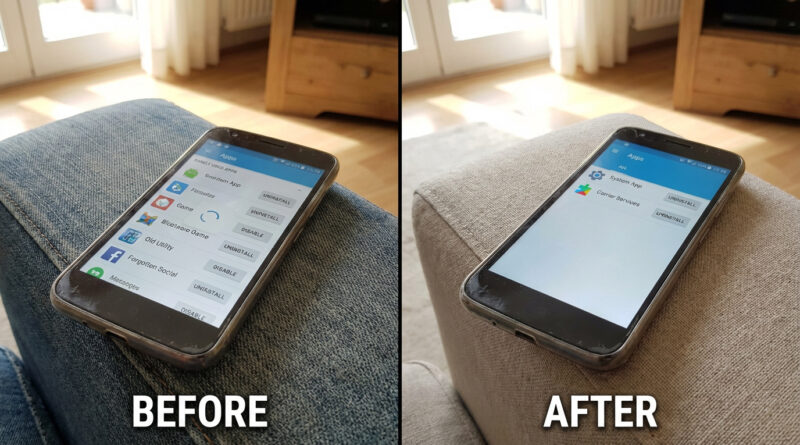
Here’s the part that surprises people. Even if you never open an app, it can still check for updates, send notifications, sync, and run background services. On an older phone, that’s like trying to cook dinner while five people keep bumping into you in a small kitchen.
Do this
Settings → Apps (or Apps & notifications) → sort by Last used.
Now scroll down the list and look for anything you haven’t opened in about a month.
What to choose: Uninstall vs Disable
Uninstall is best for apps you chose and don’t need anymore.
Disable is perfect for preinstalled apps your phone won’t let you remove. Disabling usually stops them from running and hides them from your app drawer.
If you’re unsure about an app, tap it and check its storage and battery usage. If it’s big and you never use it, it’s a great candidate.
Step 2 (2 minutes): Clear your browser’s cached data
Your browser cache is meant to speed things up, but over time it can turn into a messy junk drawer. Pages load weird. The browser hesitates. Your storage gets eaten in small bites that add up fast.
Chrome (most common)
Settings → Apps → Chrome → Storage → Clear cache.
Important detail. Tap Clear cache, not Clear storage, unless you’re okay signing back into websites and resetting browser settings.
If storage is your bigger headache
This is where Android and iPhone owners share the same pain. If you also have an iPhone in the house (or you’re switching between devices), the idea is similar: remove the weight without losing what matters. This guide on How to Stop iPhone Storage From Always Being Full Without Paying for More iCloud explains the iPhone version of that “keep your data, ditch the bloat” approach.
Step 3 (5 minutes): Reduce animations to 0.5x so everything feels snappier
Animations are the little visual slides and fades when you open apps, switch screens, or pull down menus. They look nice. They also make an older phone feel like it’s thinking harder than it needs to.
You’re not “overclocking” anything here. You’re just telling your phone to spend less time showing motion.
Option A: If you already have Developer Options
Settings → search Developer options → scroll to the Drawing section.
Set these to 0.5x:
- Window animation scale
- Transition animation scale
- Animator duration scale
Option B: If Developer Options is hidden
Settings → About phone → tap Build number 7 times. Enter your PIN if asked.
Then go back to Settings and search for Developer options.
Why 0.5x and not “Off”
Turning animations completely off can feel jarring and sometimes causes weirdness in a few apps. 0.5x is the sweet spot. It keeps the phone feeling normal, just quicker.
Quick reality check: What this won’t fix
If your phone is slow because the battery is failing, the storage is completely full, or the phone is overheating, these steps help but won’t perform miracles. Still, for most “it’s gotten slow over the years” phones, unused apps plus heavy animations are the main culprits.
At a Glance: Comparison
| Feature/Aspect | Details | Verdict |
|---|---|---|
| Unused apps | Sort by “Last used.” Uninstall what you don’t need. Disable what you can’t remove. | Highest impact for most people |
| Browser cache | Clear cache (not storage) to dump built-up web junk without wiping logins. | Quick win, low risk |
| Animations | Set animation scales to 0.5x in Developer Options. | Makes the phone feel instantly faster |
Conclusion
You don’t need to reward a sluggish phone by buying a new one right away. Give it 10 minutes first. Removing unused apps cuts the background noise, clearing the browser cache drops a pile of hidden junk, and lowering animations to 0.5x makes everyday taps feel crisp again. It’s a simple way to stretch the life of the phone you already own and avoid an upgrade that’s only needed because clutter and eye-candy quietly piled up over time.