The Best Way to Fix AI Chatbots Giving Useless Answers (ChatGPT, Copilot and More)
You open ChatGPT or Copilot, ask a normal question, and it answers like it’s writing a school report. Lots of words. Not much help. Worse, it often guesses what you meant instead of asking. That’s when these tools start feeling like more trouble than they’re worth.
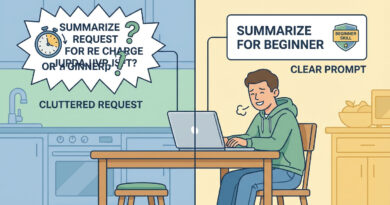
The fix is simple. Stop asking one giant question and start giving the AI a tiny bit of context plus a very specific output format. Then keep it on track with follow-ups like “Show me” and “Rewrite this” instead of starting over. When you do that, the chatbot stops trying to be a mind reader and starts acting like a guided assistant. You’ll get shorter answers, clearer steps, and fewer “it depends” essays. And if it still gets it wrong, you can correct it once and have it adjust, rather than repeating your whole situation from scratch.
⚡ In a Hurry? Key Takeaways
- Give 1 to 2 lines of context plus the exact format you want (steps, checklist, table, word count).
- Use follow-ups like “Show me,” “Rewrite this,” and “Ask me 3 questions” to steer the answer instead of restarting.
- Don’t accept vague advice. Make the bot commit to specifics, and tell it what to avoid (jargon, long paragraphs, risky steps).
Why AI answers get useless fast
Most people ask AI one big “kitchen sink” question. The bot has to guess what matters, guess your skill level, and guess what kind of output would help.
So it plays it safe. That’s where you get vague suggestions, long explanations, and a bunch of options that don’t match your actual situation.
The best fix: give context + demand a format
Think of it like calling a friend for help. If you say, “My computer is broken,” they can’t do much. If you say, “I’m on Windows 11, I’m a beginner, my Wi‑Fi drops every hour, and I need a 5-step checklist,” you’ll get a real answer.
Use this copy-and-paste “prompt starter”
Try this:
“I am: [beginner/intermediate]. I’m using: [Windows 11/Mac/iPhone/Android]. My goal is: [one sentence]. Constraints: [time, budget, can’t install apps, work computer]. Output: [5-step checklist / table / short bullets]. Keep it under: [120 words]. Avoid: [jargon, long explanations].”
Examples that work in real life
For fixing a setting:
“I’m a beginner on Windows 11. My Bluetooth keeps disconnecting from my headphones. Give me a 6-step checklist with short steps, no jargon, and tell me where each setting is located.”
For writing an email:
“I need to email my landlord about a leaking sink. Write two versions. One polite and one firm. Max 90 words each. Include a clear next step and a suggested date.”
For comparing apps:
“I’m choosing between Notion and OneNote for simple personal notes. Make a table with 6 rows (offline use, ease, search, privacy, cost, learning curve). Then tell me which fits a non-techy user best.”
Stop restarting. Use follow-ups that force accuracy
This is the part people skip. The magic is in follow-ups that keep the bot “in the lane” you chose.
Good follow-up phrases
“Show me…” makes it concrete.
“Rewrite this…” keeps your context and improves the output.
“Ask me 3 questions…” stops guessing and pulls the missing details out of you.
“Give me the shortest version…” cuts the fluff.
“List the exact clicks…” turns advice into steps you can actually do.
Example follow-up chain (steering without starting over)
1) You: “I’m on a Mac. It’s getting slow. Give me a 5-step checklist. No cleaner apps. Simple.”
2) AI: Gives general steps.
3) You: “Show me the exact steps in Activity Monitor and what I should sort by.”
4) You: “Rewrite step 3 for someone who doesn’t know what ‘RAM’ means.”
If you want a solid, real-world example of what “specific and repeatable” looks like, check out The Best Way to Stop Your Mac from Spinning Beachballs and Slowing to a Crawl. Notice how it doesn’t wave its hands. It names the tool, what to sort by, what to close, and what habit prevents the problem next time. That’s the vibe you want your chatbot to follow.
A simple rule: make it choose and make it check
When the AI gives you “maybe do X, Y, or Z,” respond with one of these:
“Pick the best option for my situation and explain why in 2 sentences.”
“Before you answer, ask me the 3 details you need.”
“What’s the safest step I can try first that won’t mess anything up?”
At a Glance: Comparison
| Feature/Aspect | Details | Verdict |
|---|---|---|
| Your prompt style | One big question vs. 1–2 lines of context plus a required format (steps, table, length) | Context + format wins for useful, shorter answers |
| How you refine results | Restarting the conversation vs. follow-ups like “Show me,” “Rewrite this,” “Ask me 3 questions” | Follow-ups beat restarts. Less guessing, more accuracy |
| Quality control | Accepting vague options vs. forcing specifics (exact clicks, word limit, safest first step) | Make it commit to specifics. You stay in charge |
Conclusion
AI chatbots are not mind readers, and they get useless fast when they have to guess what you meant. Give them a little context, demand a format, and then steer with follow-ups like “Show me” and “Rewrite this.” Do that, and these tools become genuinely handy for real life stuff like fixing settings, writing emails, and comparing apps. You’re not getting talked at anymore. You’re directing the help.