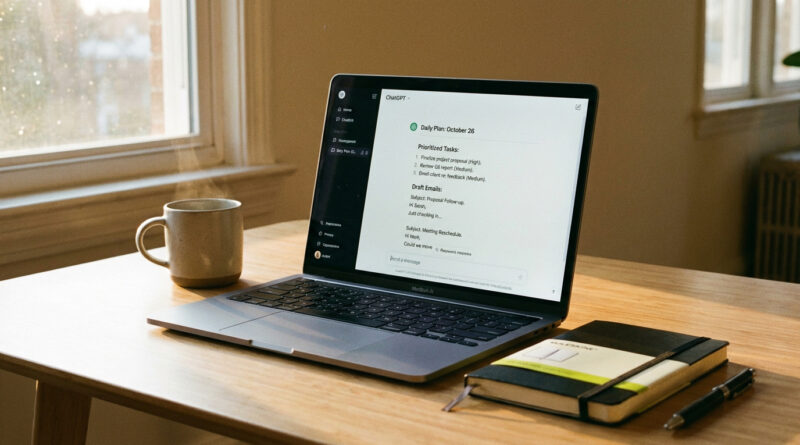
How to Make ChatGPT Actually Useful For Real Work With One Simple Daily Prompt
If you tried ChatGPT and got back a polite wall of generic advice, you are not alone. Most people open it like a search box, ask one question, and end up with fluff that does not fit their actual day. The trick is to stop treating it like a one-off answer machine and start treating it like a practical assistant who needs your messy, real to do list. That tiny shift turns it from “neat demo” into something that can actually move work forward.
Here’s the habit: one reusable daily prompt. Each morning, paste your list and tell it to make a “today only” plan, pick the three most important tasks, draft the emails you keep avoiding, and tell you the exact questions to ask other people so you stop spinning your wheels. Same prompt. New list. Five minutes. That’s it.
⚡ In a Hurry? Key Takeaways
- Use one daily “work day” prompt where you paste your to do list and ask for a today-only plan, your top 3 tasks, email drafts, and questions to ask others.
- Reuse the same chat and tweak one or two details (your role, who you’re writing to, deadlines) to cut down on generic output fast.
- Do not paste sensitive info. Swap names for placeholders, and always review emails before you hit send.
Why ChatGPT feels useless for real work (and how to fix it)
The “fluffy answer” problem usually comes from one thing. ChatGPT is guessing what kind of help you want because you did not tell it what success looks like.
If you ask, “How do I write a project update?” it gives you a school-style template. If you say, “I’m sending a two-paragraph update to a busy director, we are late because vendor access is blocked, write it in a calm tone and ask for one decision,” you get something you can actually use.
This is why a reusable daily prompt works. You are giving it a standing job. Not a trivia question.
The one simple daily prompt (copy and paste this)
Open ChatGPT. Start a new chat called “Daily Work Plan.” Each morning, paste this and replace the bracketed parts.
Daily Work Day Prompt
Prompt:
You are my practical work assistant, not a writer. Your job is to help me get real work done today.
Context (keep short):
– My role: [your job title]
– My working hours today: [ex: 9–5]
– My main priorities this week: [1–3 priorities]
– My tone for emails: [friendly, direct, calm, etc.]
My to do list (messy on purpose):
[paste your list here]
What I want from you:
1) Turn this into a “today only” plan with time blocks. Be realistic. Include short breaks.
2) Pick the 3 most important tasks (MITs). Tell me why those 3 win today.
3) For anything that needs an email or message, draft it. Keep it short and send-ready.
4) List the exact questions I should ask other people to unblock progress (and who to ask).
5) Flag anything I should drop, defer, or delegate. Suggest the simplest next action for each item.
Constraints:
– If something is unclear, ask up to 5 questions first.
– If my list is too big, tell me what will not fit today.
If you want a slightly stronger version, add a one-paragraph “role and goal” briefing and reuse it in the same chat. That little intro alone cuts down on fluff. I wrote more about that approach here: How to Make ChatGPT Actually Useful for Your Real Work.
How to use it in under 10 minutes each morning
Step 1: Paste the messy list
Do not organize first. That is the whole point. Paste the brain dump: meetings, tasks, “email Bob,” “figure out why login broken,” everything.
Step 2: Answer its questions once
If you did the prompt right, it will ask a few clarifying questions. Answer quickly. Short answers are fine.
Step 3: Copy the outputs where you work
Take the time blocks and put them in your calendar. Copy drafts into Gmail, Outlook, Slack, Teams, whatever you use. This is where the value shows up.
What “good output” looks like (so you can spot fluff fast)
You want outputs that are specific and a little bossy. For example:
- Not good: “Prioritize important tasks and communicate clearly.”
- Good: “At 9:10, send the access request to IT. At 9:20, write the two-sentence update to the director. At 10:00, spend 30 minutes reproducing the bug and capture screenshots.”
If it is vague, push back once: “Make it more concrete. Give me the next action and a 15-minute starter step.”
Email drafts that do not sound like a robot
Two tips that help a lot:
- Tell it who the email is for and what decision you need. “This is to my manager. I need approval to move the deadline.”
- Give it your real tone. “Plain English. No buzzwords. Two short paragraphs.”
Then, always do a quick human pass. Make sure names, dates, and promises are correct. Remove anything you would not say out loud.
The questions-to-ask-others trick (the hidden superpower)
Most work stalls because of missing info. Your daily prompt should force ChatGPT to turn “blocked” into “ask this person this exact question.”
Example questions it should produce:
- “Can you confirm which environment is affected, production or staging, and when it started?”
- “Which metric matters more for this launch, signups or retention, and what is the target?”
- “Who is the approver for this change, and what is the cutoff time today?”
This alone can save hours of guessing.
Small safety note (because this is real work)
Do not paste anything you would not paste into a shared document. That includes customer data, passwords, private HR details, and confidential numbers. Use placeholders like [Client A] or [Revenue Figure]. You can still get 90% of the benefit.
At a Glance: Comparison
| Feature/Aspect | Details | Verdict |
|---|---|---|
| One-off questions vs daily assistant | One-off Q&A tends to produce broad templates. A daily prompt includes your list, constraints, and deliverables. | Daily assistant wins for real work |
| Output quality | Time blocks, MITs, drafts, and unblock questions are concrete and easier to act on than “advice.” | More specific, less fluff |
| Effort required | Same prompt every day. You only swap your list and a few details. | Easy habit. No “prompt engineering” needed |
Conclusion
If you want to know how to use ChatGPT for everyday work, skip the clever prompts and start a boring routine. One daily “work day” prompt. Paste the messy list. Ask for a today-only plan, the three tasks that matter, quick drafts, and the questions that unblock you. Do it for a week and you will stop thinking of ChatGPT as a toy. It becomes a steady part of your workday, without you needing to learn a new skill or speak in robot language.