How to Use ChatGPT Safely for Work Without Sharing Anything You Shouldn’t
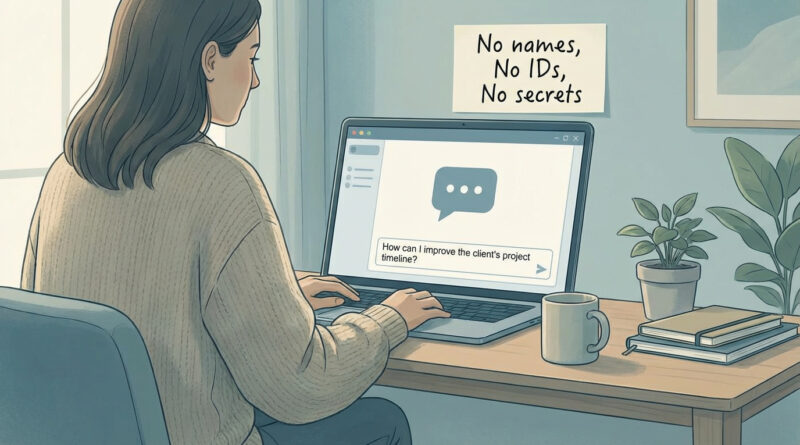
If you have ever copied a messy email thread, a customer note, or a half-finished work doc into ChatGPT and then felt that little jolt of panic, you are not alone. Lots of people are quietly using AI at work because it is genuinely helpful, but nobody wants to be the person who accidentally shares something sensitive or breaks a company rule. And the official privacy pages do not help. They read like a contract, not advice for a normal Tuesday afternoon. Here is the simple way to stay safe without giving up the benefits. Treat ChatGPT like any other online service. Useful for brainstorming and drafting. Not a place for raw names, numbers, or secrets. Build one small habit, a “sanitized” version of your common prompts, and you will stop second-guessing every time.
⚡ In a Hurry? Key Takeaways
- Never paste real names, addresses, account numbers, passwords, or company-confidential details into ChatGPT.
- When in doubt, rewrite the problem in generic terms like “customer,” “vendor,” or “Project X,” then ask for help.
- Save a reusable “sanitized prompt” template so you can use AI at work without risking privacy or policy issues.
The one rule that covers 90% of safe AI use at work
My personal rule is simple: do not paste anything you would not put into a public support ticket. That includes anything that identifies a real person, exposes an account, or reveals internal company details.
If you remember nothing else, remember this: AI is great at structure and wording. It does not need your raw data to do that.
What you should never paste (even “just for a second”)
1) Anything that identifies a person
Names, emails, phone numbers, home addresses, birthdays, employee IDs, customer IDs, even “this is the only HR manager in our small office.” If someone could reasonably be figured out from the text, treat it as identifying.
2) Anything that unlocks an account
Passwords, one-time codes, API keys, authentication links, security questions, screenshots with tokens, or “here is the admin URL and our login format.” This is a hard no.
3) Money and legal details
Credit card numbers, bank details, invoices tied to real clients, tax info, health info, contract language that is not public, or anything covered by regulations your workplace follows.
4) Company secrets and internal-only material
Unreleased product plans, customer lists, pricing sheets, internal strategy notes, private Slack messages, confidential bug reports, and anything marked “internal” or “confidential.”
The safe alternative: Ask the same question, but in generic form
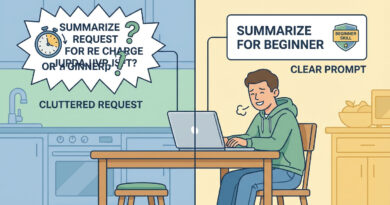
This is the part people skip because it feels like extra work. It is not, once you get the hang of it.
Turn this…
“Can you reply to this email from Jane Smith at Acme Co. complaining that we missed the SSO deadline and she is threatening to cancel? Here is the thread…”
Into this…
“Draft a calm reply to a customer who is upset about a missed deadline for a technical feature. Goals: apologize, explain next steps, offer options, avoid admitting liability. Keep it under 150 words.”
Same usefulness. Way less risk.
Make it painless: create “sanitized prompt templates” once
If you find yourself asking the same kinds of questions, save a few clean templates in your notes app. Then you are not making a judgment call every time you are tired or rushing.
Template: Email reply helper
Prompt: “Write a professional reply to a [customer/vendor/teammate] about [issue]. Tone: [calm/firm/helpful]. Include: [3 bullet points]. Do not include names, dates, pricing, or internal details. Keep it under [X] words.”
Template: Meeting summary helper
Prompt: “Turn these bullet points into a meeting recap with action items. Use generic roles like ‘Project lead’ and ‘Stakeholder.’ Do not include names, company identifiers, or confidential metrics.”
Template: Difficult message helper
Prompt: “Help me say ‘no’ politely. Context: [generic situation]. Goal: protect boundaries, offer an alternative, keep it friendly.”
That small library of prompts is like keeping your Dock to “daily use only.” It is a tiny habit that prevents problems later. Same vibe as this Mac tip: The Best Way to Stop Your Mac from Spinning Beachballs and Slowing to a Crawl. A repeatable system beats random cleanup every time.
A quick “sanitizing” checklist before you hit Enter
Do a 10-second scan for:
Names (people, companies, products not public)
Numbers (account numbers, invoices, customer IDs, serials)
Locations (addresses, exact sites, internal office info)
Secrets (roadmaps, pricing, internal decisions, “only we know this”)
If any of those are present, rewrite. Replace specifics with placeholders like [Customer], [Project], [Date], [Amount]. Or describe the situation without the identifying bits.
What ChatGPT is great for at work (when you keep it generic)
- Drafting: emails, announcements, feedback, performance review phrasing (without names or specifics).
- Brainstorming: titles, agendas, project risks, pros and cons, possible next steps.
- Polishing: make text clearer, shorter, friendlier, more direct.
- Structure: turn messy bullets into a clean outline or checklist.
What to do if your workplace has AI rules (or you are not sure)
If your company has an AI policy, follow it even if it feels strict. Policies usually exist because of client contracts, legal requirements, or hard-learned lessons.
If you are not sure, ask one practical question: “Is it okay if I use ChatGPT for generic drafting and brainstorming if I do not include any customer or internal confidential data?” Most managers and IT teams can answer that quickly.
At a Glance: Comparison
| Feature/Aspect | Details | Verdict |
|---|---|---|
| Pasting real work content | Emails, docs, notes with names, identifiers, or internal info | Avoid |
| Sanitized drafting | Generic roles, placeholders, no secrets, focus on tone and structure | Recommended |
| Reusable prompt templates | Saved “clean” prompts for common tasks so you do not have to think twice | Best habit |
Conclusion
You do not have to choose between “never touch AI” and “paste everything and hope for the best.” Most people just need a simple rule and a couple of clean templates. Keep names, numbers, and secrets out. Rewrite the situation in generic terms. Save the sanitized version so it is easy next time. A lot of folks are already using AI at work without clear guidance, and that is how accidental slip-ups happen. With a practical, human rulebook like this, you can still get the speed and clarity benefits without risking your job, your customers, or your privacy.