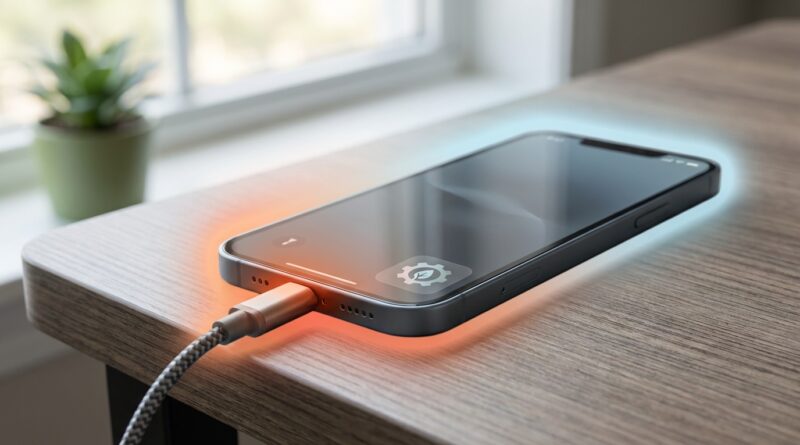
How to Stop Your Phone From Overheating While Charging (Without Buying a New One)
If your phone gets hot every time you plug it in, you are not imagining it, and you are definitely not the only one dealing with it. A little warmth while charging is normal. “Too hot to comfortably hold” is not. This is especially common with fast charging, wireless charging pads, cheap car adapters, and those moments when the phone is charging while you are also streaming, scrolling, or running maps. It feels alarming because, frankly, it is alarming when a device in your hand starts acting like a tiny heating pad. The good news is that phone overheating while charging usually has a fix that does not involve buying a new phone. In most cases, the problem comes down to heat buildup, the charger you are using, or what the phone is doing at the same time. A few simple changes can make charging cooler, safer, and easier on your battery over time.
⚡ In a Hurry? Key Takeaways
- Phone overheating while charging is usually caused by fast charging, wireless charging, background apps, or hot environments, not always a bad battery.
- Charge on a cool, hard surface, remove the case if needed, stop using the phone while it charges, and switch to a quality charger and cable.
- If your phone shows temperature warnings, stops charging often, swells, or gets hot even with light use, it is time to have the battery or charging port checked.
Why your phone heats up while charging
Charging creates heat. That part is normal. Batteries are doing chemical work, and chargers are pushing power into the phone. The problem starts when extra heat piles on top of that.
The biggest culprits are usually pretty simple:
- Fast charging at high wattage
- Wireless charging, which is less efficient and creates more heat
- Using the phone while charging
- Charging in a hot car or direct sunlight
- A thick case trapping heat
- Cheap or damaged chargers and cables
- Background apps working hard without you noticing
If your phone only gets warm, that is usually fine. If it gets very hot, slows down, dims the screen, pauses charging, or shows a temperature warning, the phone is protecting itself. That is your sign to step in.
The fastest ways to cool things down
1. Stop using it while it charges
This is the single easiest fix. If you are watching video, gaming, running GPS, or doomscrolling while charging, your phone is trying to charge the battery while also burning through power. That creates extra heat fast.
If you want the coolest charge possible, plug it in and leave it alone for 20 to 30 minutes. Even better, lock the screen.
2. Move it off the bed, couch, or car seat
Soft surfaces trap heat. Phones need airflow, even if it is just a little. Charge on a table, desk, countertop, or other hard surface instead.
This matters more than people think. A blanket or car seat can turn mild warmth into real overheating.
3. Take off the case
Not every case causes trouble, but thick rubber, rugged, or wallet-style cases can hold in heat. If your phone runs hot every time it charges, remove the case and see if that changes things.
This is especially helpful with wireless charging and fast charging.
4. Keep it out of the sun and out of hot cars
Cars are one of the worst places for charging heat. You have sunlight, windshield heat, navigation running, and often a fast charger all at once. No wonder the phone feels like it is frying.
If you charge in the car, try these:
- Mount the phone away from direct sun
- Point an air vent toward it
- Use a cable instead of wireless charging if possible
- Avoid charging when the cabin is already very hot
Chargers matter more than most people realize
Use a good charger, not just any charger
A poor-quality charger can create unstable power and extra heat. The same goes for worn-out cables. You do not always need the most expensive brand, but you do want one from a reputable maker that matches your phone’s charging standards.
Look for:
- USB-C PD or PPS support if your phone uses it
- MFi-certified accessories for older Lightning iPhones
- Cables without fraying, bending damage, or loose connectors
If the charger gets very hot too, that is another clue. Swap both the brick and the cable and test again.
Fast charging is convenient, but slower charging can run cooler
Fast charging is great when you need a quick top-up. It is not always the coolest option. If your phone overheats every time you use a high-watt charger, try a slower charger for overnight or desk charging.
You may lose some speed, but gain cooler temperatures and less battery stress. For many people, that is a good trade.
Wireless charging is often the hidden problem
Wireless charging is handy, but it creates more heat than wired charging. That is just how the technology works. If your phone overheating while charging happens mostly on a wireless pad or stand, there is a strong chance the pad is the issue, not the phone itself.
Things that make wireless charging hotter:
- Bad alignment on the pad
- Thick or metal cases
- Cheap charging pads
- Using the phone while it sits on the charger
If you prefer wireless charging, make sure the phone is centered properly and remove the case if needed. But if heat is the main concern, wired charging usually wins.
Check what your phone is doing in the background
Sometimes the charger gets blamed when the real problem is an app working overtime. Navigation, cloud backups, photo syncing, gaming apps, video calls, and social apps can all keep the processor busy and increase heat.
On iPhone
Go to Settings, then Battery, and see what apps were active recently. Also check if the phone is updating apps, uploading photos, or restoring data in the background.
On Android
Go to Settings, then Battery, and look for apps with heavy background activity. The wording varies by brand, but most Android phones show battery use and background behavior.
If one app keeps showing up, close it before charging. If the problem started after a recent app install, update or remove that app and test again.
Simple settings that can help
Turn on Airplane Mode if you need a quick, cool charge
This cuts wireless activity and background work. It will not fix every heating problem, but it can noticeably reduce warmth while charging.
Use Low Power Mode or Battery Saver
This reduces background activity and can keep the phone calmer while plugged in.
Lower the screen brightness
A bright display adds heat. If you must use the phone while charging, at least dim the screen.
Pause demanding tasks
Video exporting, big downloads, software updates, and gaming can all wait until the phone is off the charger.
When dirt is the problem
Take a quick look at the charging port. Pocket lint and dust can interfere with the connection and sometimes cause charging issues that create heat or charging cutoffs.
Do not jam metal tools in there. Use a flashlight, and if you see debris, gently remove it with a wooden or plastic toothpick or have a repair shop do it safely.
What not to do
- Do not put your phone in the fridge or freezer. Sudden temperature swings can cause moisture damage.
- Do not keep forcing it to charge if it is showing a heat warning.
- Do not use damaged cables or chargers “just for now.”
- Do not leave it baking on a dashboard charging wirelessly with maps open.
When heat points to a bigger problem
Most charging heat is manageable. Some heat is a warning sign.
Get the phone checked if:
- It overheats even with a good charger and light use
- The battery drains unusually fast
- The back of the phone looks swollen or starts separating
- Charging keeps stopping for temperature reasons
- The phone gets hot even when it is not charging
That can point to a worn battery, charging port issue, or internal fault. At that stage, replacing a battery is often much cheaper than replacing the whole phone.
Best real-world setup for cooler charging
If you just want the simple version, here it is. Use a quality wired charger. Put the phone on a hard surface in a cool room. Remove the case if it usually runs hot. Lock the screen and let it charge without using it.
That setup solves a surprising number of problems.
At a Glance: Comparison
| Feature/Aspect | Details | Verdict |
|---|---|---|
| Wired vs wireless charging | Wired charging is usually more efficient and creates less heat. Wireless pads are convenient but often run warmer. | Use wired charging if heat is your main concern. |
| Fast charger vs slower charger | Fast charging saves time but can increase temperature, especially in warm rooms or cars. | Use fast charging when needed, slower charging for cooler routine top-ups. |
| Using phone while charging | Streaming, gaming, maps, and social apps add processor heat on top of charging heat. | Best to leave the phone alone until it has charged. |
Conclusion
If your phone feels like a pocket-sized space heater every time it charges, you usually do not need a new phone. You need less trapped heat, a better charging setup, and fewer things running at the same time. Phone overheating while charging is one of the most common complaints right now on both iPhone and Android, especially with fast chargers, wireless pads, and in-car setups. The upside is that the fix is often simple. Charge on a cool surface, use a reliable charger, skip wireless when heat is a problem, and give the phone a break while it powers up. Do that, and you will likely get cooler charging, fewer scary shutdowns, better battery health, and a lot less temptation to replace a phone that may still have plenty of life left in it.