How to Stop AI Chatbots From Hallucinating and Get More Reliable Answers
You’re not imagining it. AI chatbots can sound like the smartest person in the room and still be wrong. That’s the frustrating part. The confidence makes it feel safe to copy-paste into a report, study notes, an email, or a plan. Then you find out a “fact” was made up, a quote is fake, or a policy doesn’t exist. The goal is not to “trust AI more.” It’s to use it in a way that makes bad answers easier to spot before they cost you time, money, or embarrassment.
⚡ In a Hurry? Key Takeaways
- Add a guardrail line to your prompt: “List your sources and say if you are guessing.”
- Copy any important claim into a quick web search or YouTube search before you act on it.
- Treat AI as a fast first draft partner, not the final authority, especially for health, money, and legal topics.
Why chatbots “hallucinate” (in plain English)
Most chatbots are great at producing fluent text. They predict what a good-sounding answer should look like based on patterns in training data and your prompt. They are not automatically checking a live database of truth for every sentence.
So when the bot doesn’t fully know, it might still try to be helpful by filling in gaps. That’s a hallucination. It can look like:
- A confident explanation with subtle errors.
- Fake citations, fake book titles, or “studies” that don’t exist.
- Real facts, but mashed together in the wrong way (wrong dates, wrong rules, wrong steps).
The simplest fix: ask for steps, sources, and honesty
Here’s the one line that changes the whole vibe of the response. Add it to the end of your question:
“List your sources and say if you are guessing.”
Copy-and-paste prompt templates
For school or study
“Explain photosynthesis at a high school level. List your sources and say if you are guessing. If any detail depends on the textbook edition, tell me what to check.”
For work research
“Summarize the pros and cons of SOC 2 vs ISO 27001 for a small SaaS company. List your sources with links and say if you are guessing. Flag any claims that might be outdated.”
For how-to tasks
“Give me steps to reset Windows Update on Windows 11. List your sources and say if you are guessing. If a step could cause data loss, warn me.”
Why that line helps
- It nudges the bot to separate “I know” from “I’m inferring.”
- It increases the chance you’ll get checkable references instead of pure vibes.
- It reminds you to treat the answer like a draft, not gospel.
Do a 30-second verification before you act
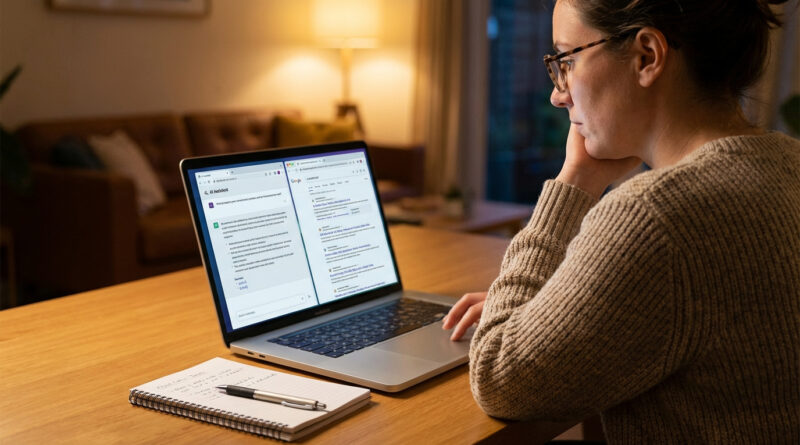
If the answer matters, verify it. You don’t need a deep research project. You need a quick “is this real?” check.
The quick method
- Pick one or two important claims. Not every sentence. The ones that would hurt you if wrong.
- Copy the claim into a web search. Add a keyword like “official,” “documentation,” “policy,” “IRS,” “NHS,” “CDC,” “Microsoft,” “Google,” etc.
- Open 1 to 2 solid sources. Official docs, recognized institutions, or well-known publications.
- If it’s a “how to” step, also try a YouTube search. Seeing the steps can quickly reveal missing buttons, wrong menus, or outdated instructions.
If you want a mental model, think of it like troubleshooting Wi‑Fi. Your phone can “helpfully” switch networks and cause chaos unless you lock it down. Same idea with AI. You add guardrails so it stops second‑guessing reality. If you’re dealing with connection weirdness too, this guide is worth keeping around: How to Fix Wi‑Fi Dropping on Your Android Phone Without Calling Your Provider.
Red flags that usually mean “slow down and verify”
- Perfect-sounding quotes with no clear source link.
- Specific numbers (fees, deadlines, dosages, tax thresholds) with no citation.
- Vague sources like “a study says” or “experts agree” without names you can search.
- Legal or medical confidence with no “it depends” language.
- Instructions that don’t match your screen (common when the UI changed recently).
Make the bot work like an assistant, not a know-it-all
These small tweaks reduce bad answers fast.
1) Give it your context so it stops guessing
Instead of: “How do I write a thesis statement?”
Try: “I’m in 10th grade. The topic is social media and sleep. I need a thesis statement that’s arguable, not a fact. List your sources and say if you are guessing.”
2) Ask for multiple options, not one “magic answer”
“Give me three possible approaches and explain tradeoffs. List your sources and say if you are guessing.”
3) Ask it to label uncertainty
“For each claim, label it as: confirmed, likely, or needs verification. List your sources and say if you are guessing.”
4) Ask it to help you verify
“After your answer, give me 5 search queries I should use to verify the key claims.”
When you should not trust AI without a human or official source
Use extra caution if the answer touches:
- Health: symptoms, meds, dosages, interactions, “should I worry.”
- Money: taxes, investing, loan terms, fees, benefits eligibility.
- Legal: contracts, employment law, tenant rights, immigration, anything with risk.
In these areas, AI can still help you generate questions to ask a professional. That’s the safer way to use it.
At a Glance: Comparison
| Feature/Aspect | Details | Verdict |
|---|---|---|
| Best way to prompt for reliability | Add: “List your sources and say if you are guessing.” Ask for steps, uncertainty labels, and warnings. | High impact, low effort |
| Best way to prevent getting burned | Verify 1 to 2 key claims with a quick web search or YouTube search before acting. | Non-negotiable for important stuff |
| Where AI is safest and most useful | First drafts, outlines, explanations, brainstorming, rewriting, and generating questions to ask an expert. | Use it as a partner, not a judge |
Conclusion
AI can absolutely save you time. You just have to stop treating it like a final authority. Add the line “List your sources and say if you are guessing,” then do a quick check on any claim that matters before you follow it. Used this way, the chatbot becomes a fast first draft partner instead of a confident stranger who occasionally makes things up. You keep the speed. You avoid the “wait, that’s not true” pain later.