How to Make ChatGPT and AI Tools Give You Answers That Actually Make Sense
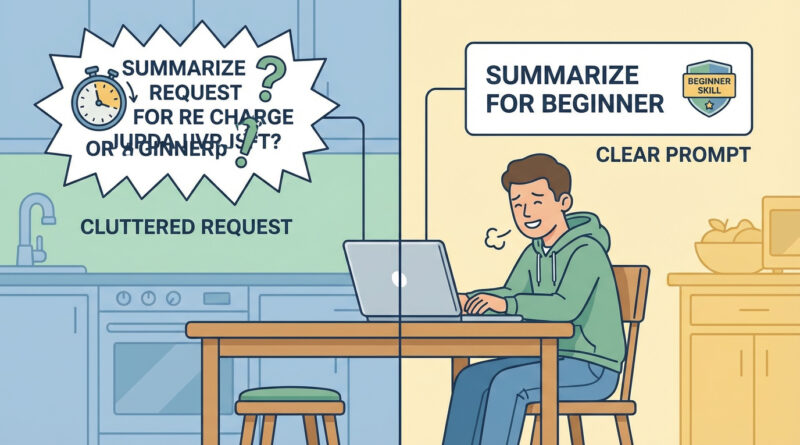
You’re not imagining it. You ask an AI tool for help with work or school and it spits back something vague, way too technical, or confidently wrong. That combo makes you feel like you’re the problem. You’re not. The tool is guessing because it doesn’t know what you mean, who you are, or what “good enough” looks like for your situation. The fix is simple and a little sneaky. Before you ask anything, write one plain sentence that starts with “I am trying to do…” and ends with who it’s for and how much time you have. Then paste that sentence into the AI and say, “rewrite this as a clear request from a beginner.” Use the rewritten version as your real prompt. You’ll get answers that match your level, your goal, and your deadline. That’s when AI starts feeling useful.
⚡ In a Hurry? Key Takeaways
- Start with one sentence: “I am trying to do X…,” and include who it’s for and how much time you have.
- Paste that sentence first and ask the AI: “Rewrite this as a clear request from a beginner.” Then use the rewrite as your real prompt.
- This reduces vague answers and random guesswork. It also makes it easier to spot when the AI is making things up.
Why AI Answers Feel Useless (Even When You’re Doing Nothing Wrong)
AI tools do not “know” what you mean. They predict what a helpful-looking answer might be based on your words.
If your prompt is broad, the reply will be broad. If your prompt sounds advanced, it will talk like a textbook. If your prompt is missing key facts, it will fill in the blanks. Sometimes incorrectly. Confidently.
Most people type what’s in their head. That’s normal. The problem is that what’s in your head is usually half-formed, because you’re busy, stressed, or still figuring out the assignment.
The “One Sentence, Then Rewrite” Trick
This is the fastest way I know to turn fuzzy thoughts into something an AI can answer well.
Step 1: Write one plain sentence
Start it like this:
“I am trying to do…”
Then finish the sentence with:
- What you want (the outcome)
- What it’s for (teacher, boss, customers, your kid, your own notes)
- How much time you have (10 minutes, tonight, by Friday)
Step 2: Ask the AI to rewrite your sentence as a beginner request
Paste your sentence and add this line:
“Rewrite this as a clear request from a beginner. Keep it specific and include any details I should add.”
Step 3: Use the rewritten prompt as your real prompt
Now you ask your actual question using the cleaned-up version. It feels redundant. It isn’t. This is you forcing clarity before the AI starts guessing.
Examples You Can Copy
Example 1: School assignment that keeps getting generic answers
Your one sentence: “I am trying to write a one-page summary of Chapter 4, it’s for my 10th grade history class, and I have 30 minutes.”
Ask the AI: “Rewrite this as a clear request from a beginner.”
Then use the rewritten prompt (it will usually add things like: include key terms, don’t use college-level vocabulary, and give an outline you can fill in).
Example 2: Work email that’s coming out too formal or too long
Your one sentence: “I am trying to reply to a client who is upset about a late delivery, it’s for a professional email, and I have 10 minutes.”
That “10 minutes” detail matters. It tells the AI you need a ready-to-send draft, not a lecture on customer service theory.
Example 3: Tech troubleshooting that goes off the rails
Your one sentence: “I am trying to figure out why my laptop Wi-Fi is slow, it’s for working from home, and I have 20 minutes before a call.”
When you do this, the AI is more likely to give a short, step-by-step checklist instead of a deep networking rabbit hole. And if you want a solid human-tested sequence, our guide How to Fix Slow Wi-Fi On Your Laptop Without Buying a New Router is built exactly for that “I need this working now” moment.
Small Add-Ons That Make Answers Way Better
Tell it what “beginner” means to you
Add one line like:
- “Assume I don’t know the jargon.”
- “Explain like I’m new to this, but don’t talk down to me.”
- “Give me steps I can follow, not a long explanation.”
Ask for a quick check before the full answer
If you keep getting wrong answers, do this:
“Before you answer, list the 5 details you need from me. If you can’t answer without them, say so.”
This stops the AI from inventing missing context.
Force a format
AI is calmer when you give it a container. Try:
- “Give me 5 bullets, then a 3-step plan.”
- “Write this at an 8th-grade reading level.”
- “Answer in a table with ‘What to do’ and ‘Why it helps.’”
At a Glance: Comparison
| Feature/Aspect | Details | Verdict |
|---|---|---|
| Typical prompt | Short, vague, missing audience and deadline. Example: “Help me write this” or “Why is my Wi-Fi bad?” | Usually leads to generic or off-target answers |
| One sentence then rewrite | Starts with “I am trying to do…,” includes who it’s for and how much time you have, then gets rewritten into a clear beginner request | Best balance of clarity and speed for everyday use |
| Accuracy and usefulness | Clear constraints reduce guessing. You can also prompt it to ask clarifying questions first | More likely to be usable right now, with fewer surprises |
Conclusion
If AI has been making you feel stupid, it’s usually because it’s responding to a foggy prompt with a foggy answer. That’s a normal mismatch, not a personal failure. The “one sentence then rewrite” trick is a simple way to turn half-formed thoughts into sharp questions, so the answers come back clearer, more accurate, and actually usable right now. Once you try it a few times, you’ll start hearing your own prompts get better. And that’s when these tools finally feel like help instead of homework.