

Shooters

Adventure


How to Stop Your Mac From Overheating and Blasting Fans After the Latest macOS Update

Open Activity Monitor, sort by CPU, and quit only the top two apps using more than 80 percent that you recognize, then close your browser and relaunch it with only the tabs you actually need, and finally leave the Mac plugged in and awake for one to two hours so Spotlight and Photos can quietly finish reindexing. This combination usually ends the heat spike without scary terminal commands or giving up important apps.

Latest News

Entertainment


How to Stop Your Mac From Overheating and Blasting Fans After the Latest macOS Update

Open Activity Monitor, sort by CPU, and quit only the top two apps using more than 80 percent that you recognize, then close your browser and relaunch it with only the tabs you actually need, and finally leave the Mac plugged in and awake for one to two hours so Spotlight and Photos can quietly finish reindexing. This combination usually ends the heat spike without scary terminal commands or giving up important apps.

Feature News


How to Stop Your Mac From Overheating and Blasting Fans After the Latest macOS Update

Open Activity Monitor, sort by CPU, and quit only the top two apps using more than 80 percent that you recognize, then close your browser and relaunch it with only the tabs you actually need, and finally leave the Mac plugged in and awake for one to two hours so Spotlight and Photos can quietly finish reindexing. This combination usually ends the heat spike without scary terminal commands or giving up important apps.


How to Make ChatGPT Actually Useful For Real Work With One Simple Daily Prompt

Use a single reusable ‘work day’ prompt where you paste your to do list and say, ‘You are my practical assistant, not a writer, help me turn this list into a today only plan with 3 most important tasks, quick email drafts, and the exact questions I should ask others,’ then reuse and tweak this prompt each morning. Treating the AI like a daily planning buddy instead of a one question search engine transforms it from a toy into an actual productivity tool.

Trending News

How to Stop Your Mac From Overheating and Blasting Fans After the Latest macOS Update

Open Activity Monitor, sort by CPU, and quit only the top two apps using more than 80 percent that you recognize, then close your browser and relaunch it with only the tabs you actually need, and finally leave the Mac plugged in and awake for one to two hours so Spotlight and Photos can quietly finish reindexing. This combination usually ends the heat spike without scary terminal commands or giving up important apps.

How to Make ChatGPT Actually Useful For Real Work With One Simple Daily Prompt

Use a single reusable ‘work day’ prompt where you paste your to do list and say, ‘You are my practical assistant, not a writer, help me turn this list into a today only plan with 3 most important tasks, quick email drafts, and the exact questions I should ask others,’ then reuse and tweak this prompt each morning. Treating the AI like a daily planning buddy instead of a one question search engine transforms it from a toy into an actual productivity tool.

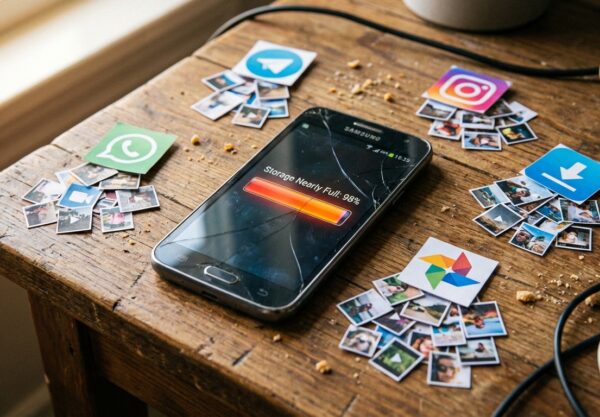
The Best Way to Clear ‘Other’ Storage on Android Without Breaking Your Apps

Start by uninstalling and reinstalling just WhatsApp, Chrome, and your main social app, but first use their own in app options to clear downloads and cache, then in Files or My Files sort by size and delete only old screen recordings and large videos you recognize instead of random system folders. This laser focused cleanup often frees several gigabytes of hidden app data and media, which is what ‘Other’ usually is in disguise.